Bio.Sites vs Linkero (2026): When Free Stops Being Enough
 Marcel Cruz
Bio.Sites by Squarespace is 100% free, with native Stripe and PayPal payments, 1:1 appointments, lead capture, and analytics on the only tier it offers. Linkero is a paid indie tool, billed monthly or yearly, with a block-based page builder, a real custom domain option on the page itself, no platform branding, and pixel tracking. For a solo creator who mainly wants to sell a few things for free, Bio.Sites is the smarter pick. For creators and businesses who want their own domain, their own branding and proper tracking, Linkero is the natural upgrade. This is the head-to-head, written without trashing either tool.
Linktree's own pivot toward AI integration and partnership content (the full picture is in Linktree's 2026 playbook decoded) makes head-to-head comparators across the bio-link category more relevant than ever, not less. Bio.Sites is one of the strongest options for creators choosing what to migrate to.
Bio.Sites in 30 Seconds
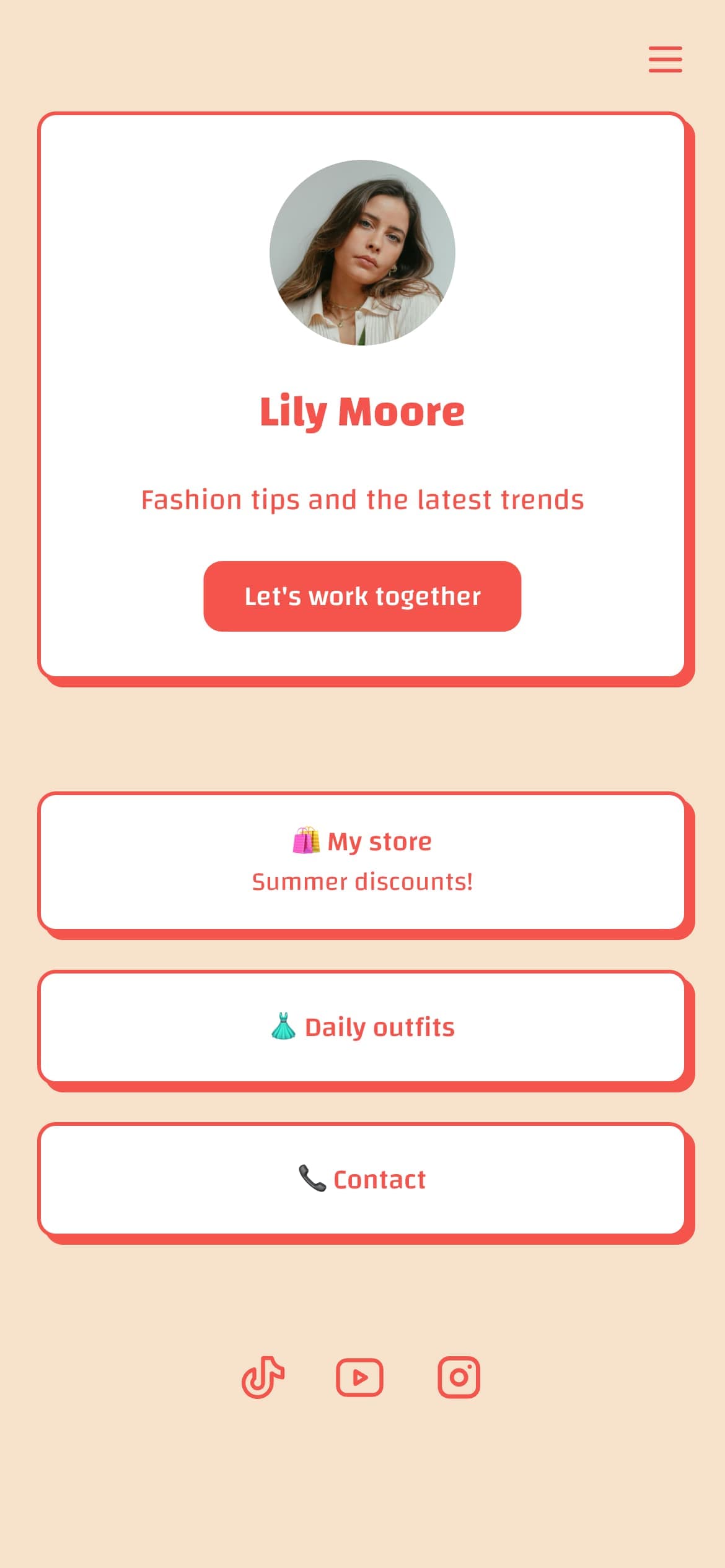
Bio.Sites is Squarespace's free bio-link tool, sitting at biosites.com with pages at bio.site/yourhandle. One account can manage up to 10 pages from a single dashboard.
- 100% free. No paid tier, no upgrade gate inside the product.
- Native commerce via Stripe or PayPal. No platform commission on top of the processor fee.
- 1:1 appointment booking, lead capture (email + phone), tip jar, product catalog, built-in analytics.
- 18-plus block types, niche-specific templates, drag-and-drop editor.
- No team seats, no multi-client agency tooling.
- Custom domain is forwarding only; the visible URL usually stays
bio.site/.... - Sister product to Bento.me, which Squarespace shut down in February 2026. Worth knowing, not a deal-breaker.
For solo creators who sell anything, the no-commission commerce alone is the headline feature.
Linkero in 30 Seconds
Linkero is an indie, EU-based bio-link tool with paid plans billed monthly or yearly. Pricing is on the pricing page so it stays current.
- No free plan. You can build and preview before paying; publishing needs a paid plan.
- Custom domain that hosts the page itself, not a forwarder (the pricing page shows which plan includes it).
- Linkero branding hidden on every plan.
- 18 content blocks: button, form, profile, testimonial, text, timeline, social, photo, file, audio, video, map, accordion, card, carousel, divider, popup, space.
- Built-in analytics on every plan, plus optional GA4, Meta Pixel, and TikTok Pixel.
- No native Stripe or PayPal block, no built-in appointment slots. External payment and booking link out via buttons.
The shape is different from Bio.Sites. Linkero is built around page building and brand control, not around being a free storefront.
Side-by-Side Comparison
| Feature | Bio.Sites | Linkero |
|---|---|---|
| Pricing model | 100% free, single tier | Paid plans, monthly or yearly |
| Custom domain on the page | Forwarding only | Native (see pricing for plans) |
| Platform branding on the page | Squarespace | Hidden on every plan |
| Team seats / invite members | ❌ | ❌ |
| Multi-page management | Up to 10 pages, single user | Page count depends on plan, single user |
| Native commerce (Stripe / PayPal) | ✅ | Via external link buttons |
| Platform commission on sales | None on top of processor | Not applicable (no native checkout) |
| 1:1 appointment booking | Built in | Via external link or embed |
| Lead capture (email + phone) | ✅ | Via Form block |
| Built-in analytics | ✅ | Every plan |
| Third-party pixels (GA4, Meta, TikTok) | Limited | Every plan |
| Parent platform | Squarespace | Independent indie |
| Hosting jurisdiction | US (Squarespace) | EU |
The table makes the split clear. Bio.Sites wins everything a solo seller cares about, at no cost. Linkero wins on owning the page: your domain, your branding, your tracking.
Where Bio.Sites Wins
Free is the obvious one, but it is not the only one. The product itself is good.
Native commerce with no platform fee. Plug in Stripe or PayPal, sell digital products or accept tips, pay only the processor fee. Most paid bio-link tools either gate commerce behind a higher tier or take a cut on top. Bio.Sites does neither.
Appointment booking inside the page. Coaches, consultants, and service providers who would otherwise embed a Calendly link get a native booking flow on the page itself. That is a real feature, not a marketing claim.
Polished defaults. Squarespace put real product effort into the editor, the templates, and the analytics dashboard. The free tier feels like a paid tier on most other tools.
Squarespace distribution. If you already run a Squarespace site, Bio.Sites slots into the same ecosystem. The login, the brand, the support surface are familiar.
If you are a solo creator who does not care about owning your own domain on the page itself, Bio.Sites covers more than most paid tools on the market.
See How Linkero Compares
18 content blocks, per-block styling, custom domains, and built-in analytics on every plan.
Create your pageWhere Linkero Wins
Linkero is not trying to be a better free bio page. It is trying to be the bio page you fully own.
Custom domain on the page itself. Connect your own domain and the page lives at yourname.com, not behind a forwarder that keeps bio.site/... in the URL bar (the pricing page shows which plan includes it). For brands and businesses, this is the difference between looking professional and looking like you are renting space on a platform.
No platform branding. Linkero branding is hidden on every plan, so the page reads as yours, not as a Squarespace or Linkero page.
Forms that reach your own tools. The Form block collects leads on the page, with replies in the dashboard, as a CSV export, and by email or webhook (see pricing for which plan includes the last two). Bio.Sites keeps lead-capture data inside Squarespace.
Pixel tracking. GA4, Meta Pixel, and TikTok Pixel connect on every plan, so paid traffic to the bio page is measurable end to end.
EU operator and EU-jurisdiction TOS. For GDPR-sensitive brands or any team that wants to keep data inside Europe, hosting matters. Squarespace is a US company. See our GDPR-compliant link-in-bio guide for the longer treatment.
The Squarespace Funnel Question
Bio.Sites is free because Squarespace makes its money on the upgrade path to a full Squarespace website. That is honest, and it is fine, but it shapes the product. Bio.Sites will never optimize against the rest of Squarespace's lineup. It is a front door, not a destination.
Linkero is the destination. Bio link is the whole product. There is no upsell into a website builder, no funnel into a different category, no separate brand the tool is feeding. That changes what the team prioritizes. It also means Linkero has to win on the bio-link product itself, not on cross-sell.
This is not a criticism of Bio.Sites. It is a structural difference worth understanding before you build your audience on either tool.
Five "Outgrow Bio.Sites When..." Triggers
Use the free tool until one of these becomes true. When it does, the math flips.
- You need a real custom domain on the page. Forwarding works, but the URL bar tells the truth. If your brand requires the page to live at
yourname.comwith the address bar matching, Bio.Sites cannot deliver that. - You want the platform's branding off the page. Bio.Sites pages carry Squarespace branding. Linkero hides its own branding on every plan.
- Your leads need to land in your own tools. Linkero's Form block exports replies and can send them by email or webhook, so new leads reach your inbox or CRM instead of staying in a Squarespace dashboard.
- You run paid traffic. GA4, Meta Pixel, and TikTok Pixel are first-class on Linkero. Bio.Sites keeps its tracking inside a closed dashboard.
- Your data jurisdiction matters. Linkero is EU-operated. Squarespace is a US company.
If none of those apply, stay on Bio.Sites. The day one of them applies, that is the day to consider switching. The full step-by-step playbook is in How to Switch from Bio.Sites to Linkero; the sibling guide for leaving Linktree follows the same shape.
Pricing: How to Think About the Gap
Do not compare a free tool to a paid tool on price alone. Compare them on what the price buys.
Bio.Sites is free because Squarespace is acquiring future Squarespace customers. The product earns its keep through cross-sell, not subscription revenue. That is a real economic model, and it pays for the product team.
Linkero is paid because the bio link is the product. Plans are monthly or yearly subscriptions, and they differ on things like page count and custom domain. Check the pricing page for current rates and what each plan includes, since they move when plans get reshaped.
The honest comparison is not "free vs paid." It is "what do I need this tool to do." If the answer is "host a polished page and sell a few things," free is enough. If the answer is "own the page on my domain, capture leads into my tools, and track ad traffic," paid earns its rent. The sister comparison if you are weighing two paid indies instead is Liinks vs Linkero.
Bio.Sites vs Linkero: Which Should You Pick?
- Solo creator, free is the priority. Bio.Sites. The native commerce alone makes it a serious choice.
- Solo creator on a custom domain who wants the URL bar to match. Linkero, on a plan that includes a custom domain. Forwarding is a compromise; native hosting is not.
- Agency or team that needs shared access. Neither. Both tools are single-user; look at the multi-client tools in our link in bio for agencies guide.
- Selling at meaningful volume with a CRM workflow. Linkero. Pixel-level tracking and form webhooks beat Bio.Sites's closed dashboard.
- GDPR-sensitive brand or EU operator. Linkero. EU jurisdiction is a structural fit.
FAQ
Is Bio.Sites really free?
Yes. As of mid-2026, Bio.Sites has no paid tier. Commerce, appointments, lead capture, and analytics are all on the free plan. Squarespace charges nothing for the tool itself.
Does Bio.Sites have a paid version?
No. Squarespace pitches the main Squarespace website as the upgrade path. There is no Bio.Sites Pro tier to unlock.
Is Bio.Sites part of Squarespace?
Yes. Bio.Sites is operated by Squarespace, the same company that acquired and then shut down Bento.me in February 2026. Bio.Sites is the replacement product in that lineup.
Can you sell products on Bio.Sites?
Yes. Connect Stripe or PayPal and sell digital products, accept tips, or run crowdfunding sections. Bio.Sites does not take a platform commission. The payment processor takes its standard fee.
What does Bio.Sites NOT include?
No team seats, no multi-client agency tooling, no native custom domain on the page, no API, no webhooks. Custom domain is forwarding only.
Can I use a custom domain on Bio.Sites?
Forwarding only. You can point a domain at your bio.site/yourhandle page, but Bio.Sites does not host the page natively on your domain. For native custom-domain hosting, see the link-in-bio custom domain guide.
Bio.Sites vs Linktree: which is better?
Bio.Sites for free plus native commerce with no platform fee. Linktree for brand recognition and the broader integration surface. Neither lets you host the page on your own domain. The deeper comparison lives in our Bio.Sites review.
Will Bio.Sites shut down like Bento.me did?
No public signal that it will, but Squarespace already shut down one bio-link product in this category. The pattern is worth knowing. See why link-in-bio tools keep shutting down for the durability checklist that applies to any indie bio-link tool, Bio.Sites included.
The Honest Answer
Bio.Sites is the strongest free bio-link tool in 2026. If you are a solo creator and you want a polished page with native commerce, use it. You will not find a better free option this year.
Linkero is the tool you upgrade to when one of the five triggers above applies. Custom domain on the page, no platform branding, leads into your own tools, pixel-level tracking, or EU jurisdiction. Until one of those is true, the paid tool is overkill. When one of them becomes true, it is the obvious move.
Pick the tool that fits where you are, not where you wish you were.
See How Linkero Compares
18 content blocks, per-block styling, custom domains, and built-in analytics on every plan.
Create your page